The path tracer in the previous series solves the rendering equation honestly — every ray, every bounce, every sample paid for in CPU time. The trade is correctness for throughput: a single frame of San Miguel takes minutes. A real-time renderer cannot afford that. It has 16.6 milliseconds to put a frame on the screen, and the same lighting math has to hold.
Real-time rendering is the art of paying for the integral indirectly. This first chapter is about the foundational trick that makes everything that follows possible: doing all the geometry once, all the lighting once, and never paying their product.
The cost of forward shading
In a forward-shaded pipeline, every fragment runs the full lighting computation as it’s being rasterized. Each draw call shades every pixel its triangle covers, and shades it again the next time something in front overdraws it, and again, and again. With N lights and M triangles, the work scales as O(N · M · cover_count). On a scene with a wooden table, ten point lights, and a hundred opaque objects competing for the same screen pixels, most of that lighting work is computed for fragments that will be discarded by depth.
Worse, every shader has to know about every light. A forward shader iterating ten lights compiles into a fragment program that’s an order of magnitude longer than a single-light variant: register pressure goes up, cache locality goes down, and the GPU runs out of room to keep many threads in flight simultaneously.
Two passes instead of one
Deferred shading rearranges the math. Lighting is a function of position, normal, material, light. It doesn’t actually need geometry to evaluate, just the surface that a particular pixel is showing. So the pipeline does geometry first, captures everything lighting needs into screen-space textures, and then does lighting once per visible pixel.
═════════════════════════════════════════════════════════════
                    DEFERRED PIPELINE
═════════════════════════════════════════════════════════════

1. GEOMETRY PASS
   ↓
   Render scene to G-Buffer (no lighting computed)
   Position, Normal, Albedo, Metal/Roughness — per pixel

2. LIGHTING PASS (Global)
   ↓
   Full-screen quad. For each pixel: read G-Buffer,
   evaluate one directional light with PBR

3. LOCAL LIGHT PASS
   ↓
   For each point light: full-screen quad with additive
   blending. Read G-Buffer, evaluate, accumulate.

═════════════════════════════════════════════════════════════
Two structural wins fall out:
- Lighting cost decouples from geometry cost. Twenty thousand triangles or twenty million, the lighting pass shades exactly one fragment per visible pixel.
- Lighting cost is linear in light count, not multiplicative. Adding a tenth point light is one extra full-screen draw with additive blending — not a recompile of every shader in the scene.
The trade is memory bandwidth. The G-buffer for a 1080p frame at four RGBA16F attachments is roughly 33 MB written and read every frame. On modern desktop hardware that’s a non-issue; on a tile-based mobile GPU it would be a death sentence. Every architecture has its sweet spot, and deferred is the desktop one.
What the G-buffer holds
Four color attachments cover everything the lighting pass needs:
| Texture | Format | Contains | Used by |
|---|---|---|---|
| gPosition | RGBA16F | World-space position | Light vector, distance, atten |
| gNormal | RGBA16F | Normal-mapped surface normals | All BRDF dot products |
| gAlbedo | RGBA16F | Base color | Diffuse + F0 for metals |
| gMetalRough | RGBA16F | Metallic (R), Roughness (G) | NDF, G, F selection |
Half-float precision is the right choice here. Position needs more than 8-bit per channel to avoid quantization across a moderately-sized scene; normals need precision to keep specular highlights from looking blocky; albedo and material parameters can technically fit in 8 bits but using a uniform RGBA16F format keeps the framebuffer attachments compatible and lets the pipeline reuse the same blit/sampler code paths.
The geometry pass shader is mostly an exercise in not doing things: no lighting, no shading, no fancy effects. It samples the material’s diffuse / normal / metal / roughness textures, applies normal mapping in tangent space, and writes the four outputs. That’s it.
// gbuffer.frag (essentials)
layout(location = 0) out vec4 gPosition;
layout(location = 1) out vec4 gNormal;
layout(location = 2) out vec4 gAlbedo;
layout(location = 3) out vec4 gMetalRough;

void main() {
    gPosition   = vec4(WorldPos, 1.0);
    gNormal     = vec4(normalize(perturbedNormal), 0.0);
    gAlbedo     = vec4(texture(diffuseMap, uv).rgb, 1.0);
    gMetalRough = vec4(
        texture(metallicMap,  uv).r,
        texture(roughnessMap, uv).r,
        0.0, 0.0
    );
}
Looking at the buffer through itself
The cleanest way to verify a G-buffer is right is to render each attachment back to the screen and look. A small debug shader switches the lighting pass into a visualization mode that bypasses BRDF evaluation entirely, returning the raw buffer content as color.
For position, the world coordinates have to be remapped to a [0, 1] color range. A linear normalization clips for any scene larger than the unit cube; a logarithmic mapping handles arbitrary scales smoothly:
vec3 pos = texture(gPosition, TexCoords).xyz;
vec3 normalized = 0.5 + 0.5 * sign(pos) * log(abs(pos) + 1.0) / log(3.0);
FragColor = vec4(normalized, 1.0);
The result is a color-coded view of world space — origin grey, +X red, +Y green, +Z blue — that confirms position transforms are correct and the geometry is where it should be. Each octant of the scene reads as a distinct color:
| Octant | Color |
|---|---|
| +X +Y +Z | White |
| +X +Y −Z | Yellow |
| +X −Y +Z | Magenta |
| +X −Y −Z | Red |
| −X +Y +Z | Cyan |
| −X +Y −Z | Green |
| −X −Y +Z | Blue |
| −X −Y −Z | Black |
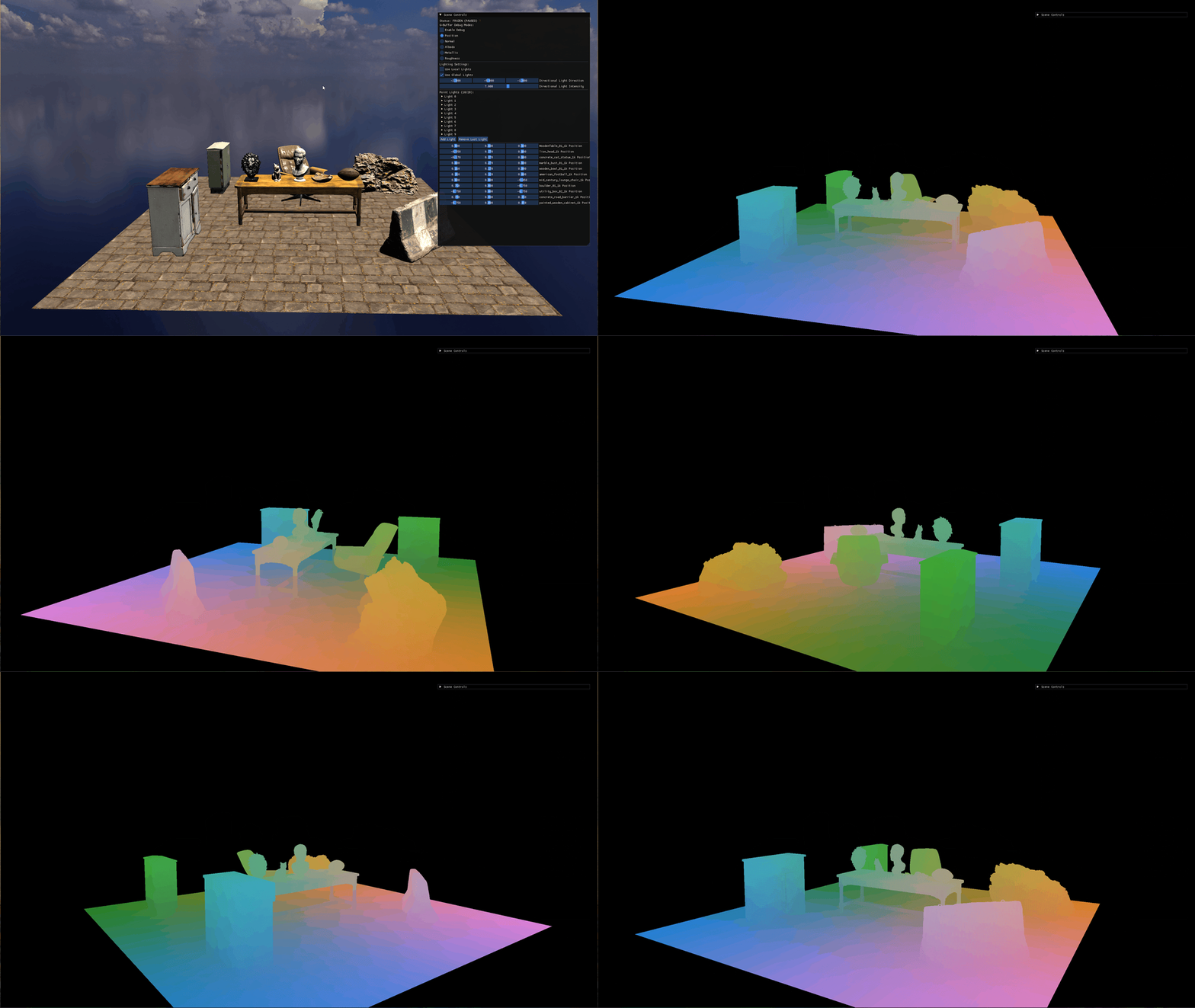
For normals, two visualizations earn their keep. The absolute-value view shows whether normals are aligned with world axes; the half-encoded view (n * 0.5 + 0.5) shows direction including sign:
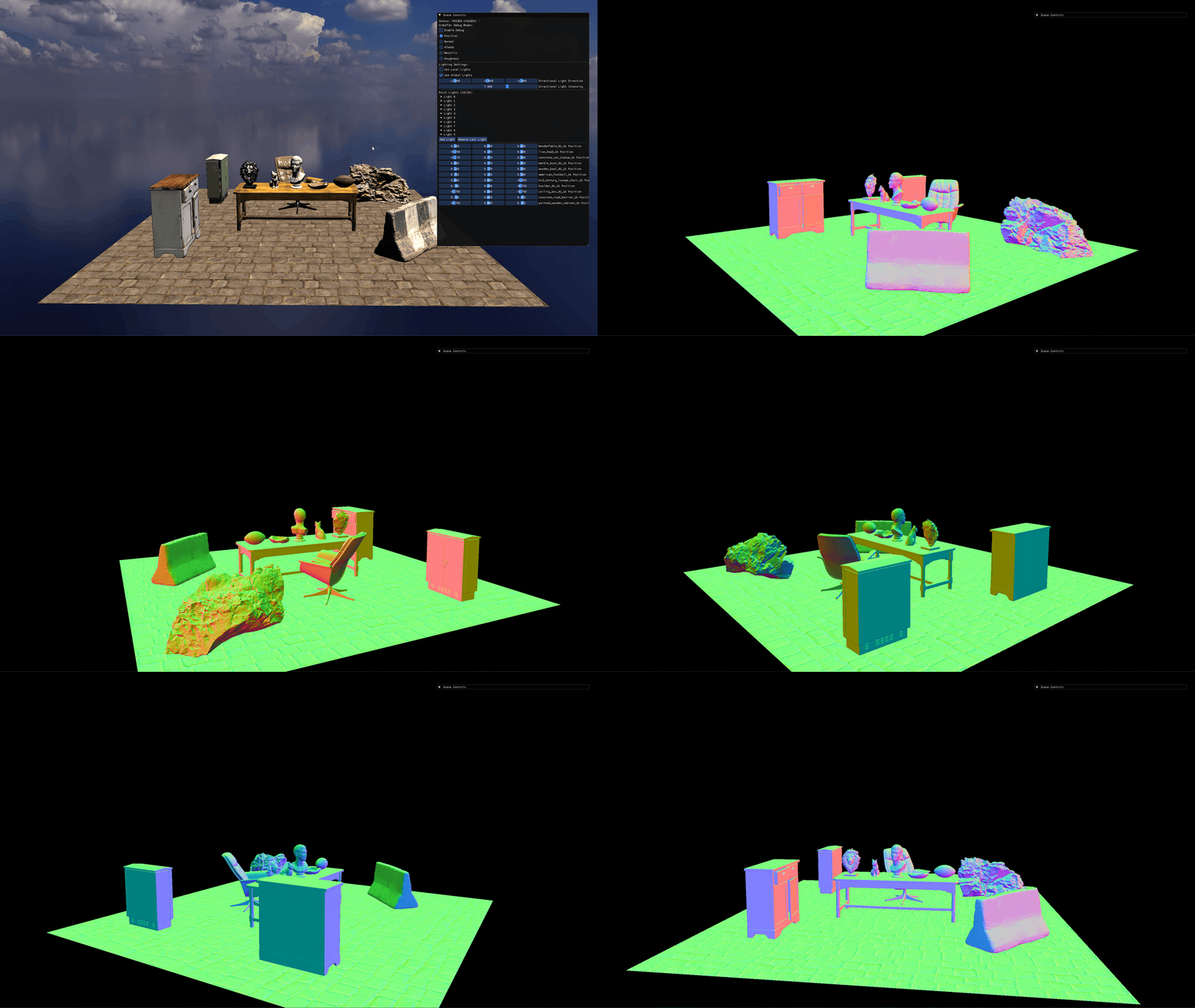
Each cardinal direction encodes to a specific color:
| Direction | Vector | Color |
|---|---|---|
| +X | (1, 0, 0) | Salmon |
| −X | (−1, 0, 0) | Teal |
| +Y | (0, 1, 0) | Light green |
| −Y | (0, −1, 0) | Purple |
| +Z | (0, 0, 1) | Light blue |
| −Z | (0, 0, −1) | Olive |
The floor reads light green because its normal points cleanly along +Y. The cabinet’s front face reads salmon (+X), its back face reads cyan (−X). A normal map that’s been baked or sampled wrong shows up immediately as a color discontinuity that doesn’t match the geometry.
Albedo, metallic, and roughness each get their own visualization. They’re the most directly readable: they should look like the diffuse texture, the metallic mask, and the roughness mask respectively, with no other math involved.
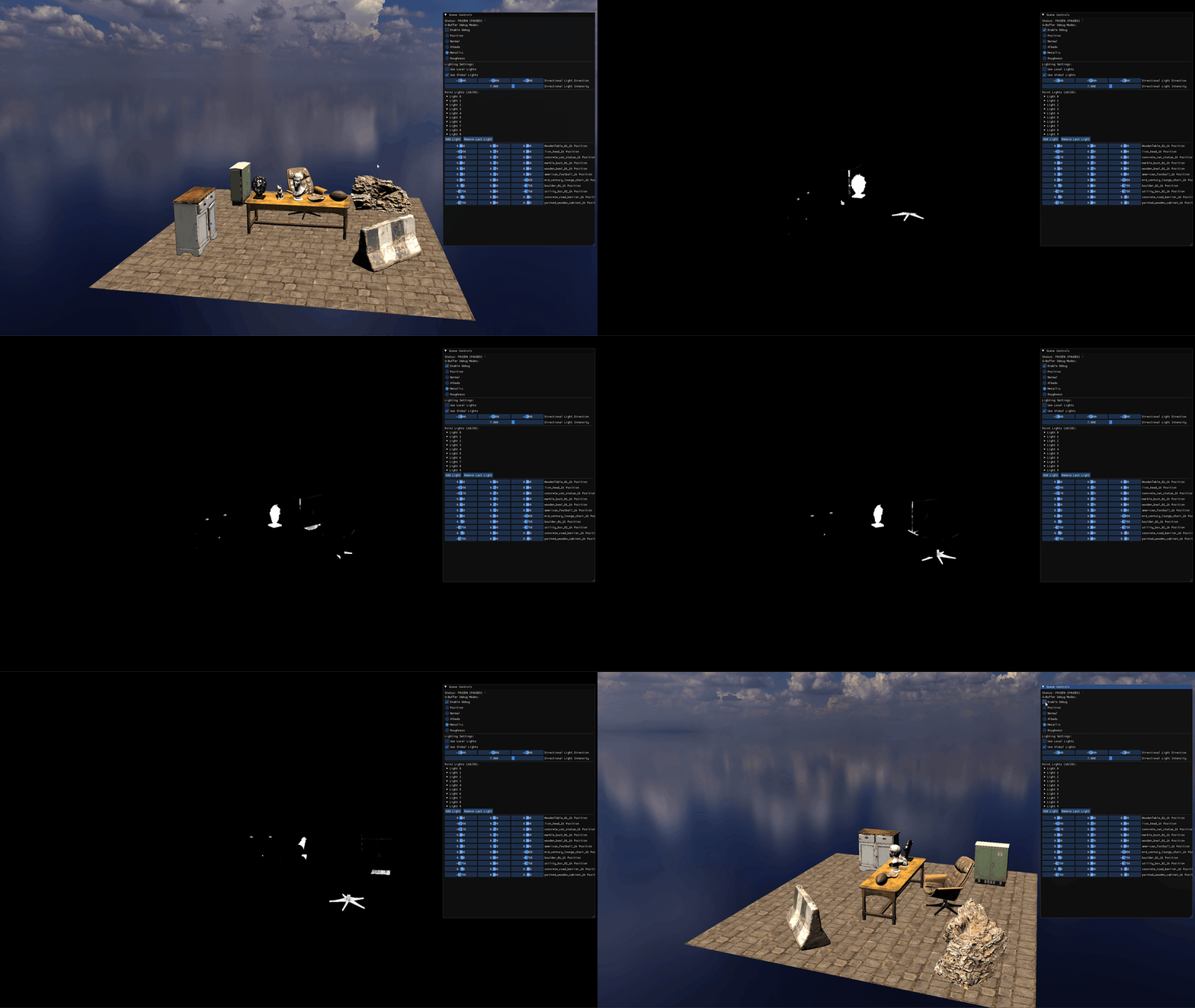
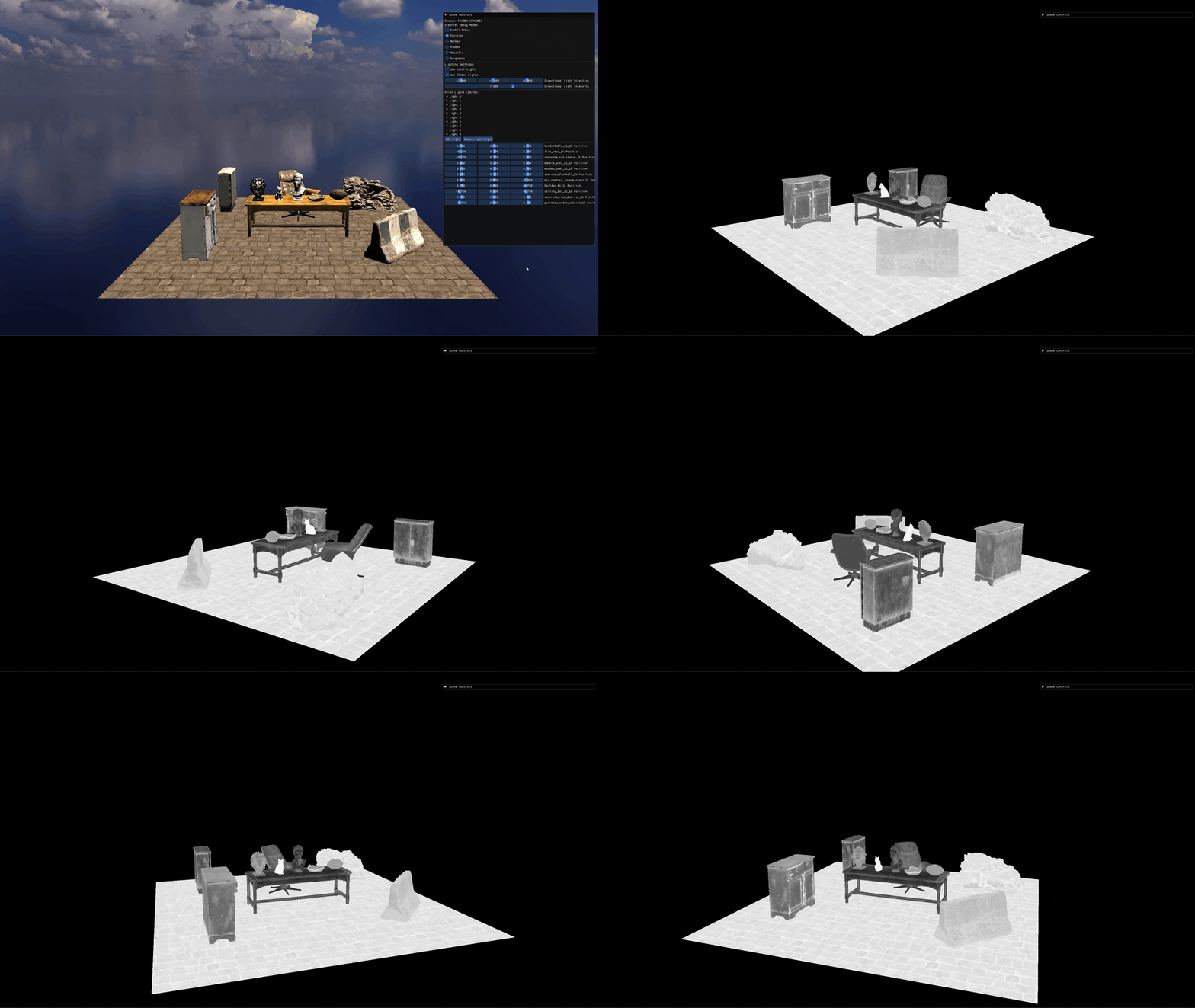
Each visualization is a contract: the lighting pass is going to read this buffer and trust what it says. If the picture is wrong here, every lit pixel downstream is wrong too.
Cook-Torrance, once per pixel
The lighting pass runs as a full-screen quad. For each pixel it samples the four G-buffer attachments and evaluates the Cook-Torrance BRDF — the same physical model the path tracer used in chapter 3 of the previous series, just compiled into a fragment shader instead of running on the CPU.
vec3 CalculatePBRLight(
    vec3 fragPos, vec3 N, vec3 V, vec3 L,
    vec3 lightColor, vec3 albedo, float metallic, float roughness
) {
    vec3 H = normalize(V + L);

    // F0 = base reflectance at normal incidence
    // dielectrics: 0.04 grey; metals: tinted by albedo
    vec3 F0 = mix(vec3(0.04), albedo, metallic);

    float NDF = DistributionGGX(N, H, roughness);    // microfacet distribution
    float G   = GeometrySmith(N, V, L, roughness);   // shadowing/masking
    vec3  F   = FresnelSchlick(max(dot(H, V), 0.0), F0);  // angle-dependent reflectance

    vec3 specColor = (NDF * G * F)
                   / max(4.0 * dot(N, V) * dot(N, L), 0.001);

    vec3 kS = F;
    vec3 kD = (vec3(1.0) - kS) * (1.0 - metallic);   // diffuse fraction; zero for metals

    return (kD * albedo / PI + specColor) * lightColor * max(dot(N, L), 0.0);
}
Two ideas there are worth a closer look. F0 — the reflectance at normal incidence — is the parameter that mathematically distinguishes dielectrics from metals. Dielectrics reflect the same colorless 4% across all visible wavelengths; metals reflect tinted light that depends on their specific spectral response, which the renderer encodes by interpolating F0 from grey toward the albedo as metallic rises. Energy conservation is enforced through the kS / kD split: whatever fraction of light is reflected specularly (kS = F) cannot also be diffused, and metals diffuse nothing at all ((1 - metallic) collapses kD).
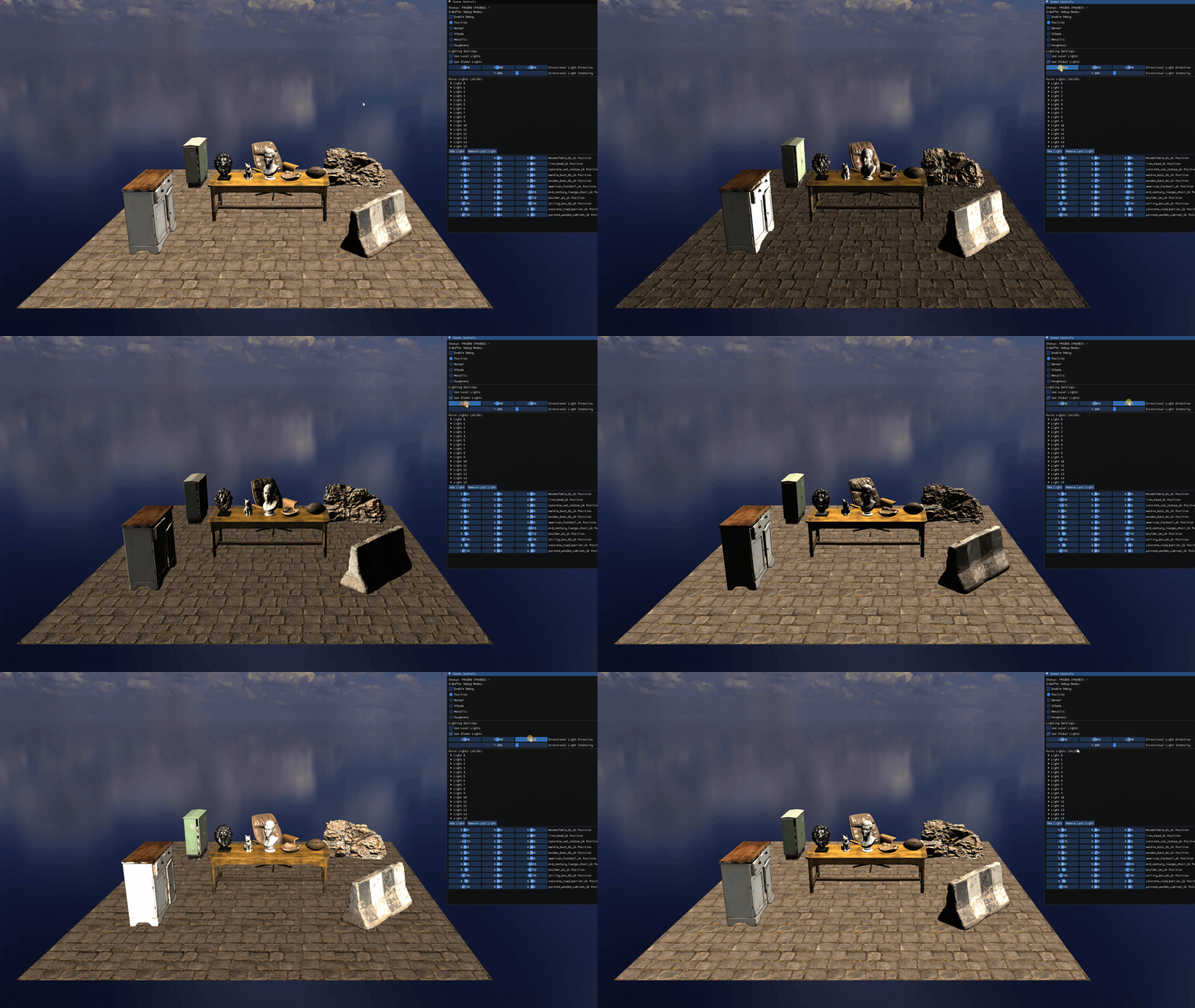
This evaluation runs exactly once per visible pixel. There is no overdraw cost, no triangle overhead, no light-count overhead inside the shader. The BRDF is the BRDF.
Reading the BRDF off real materials
A single directional light makes a BRDF look correct on average; three colored point lights — gold from the left, red from the center, blue from the right — make it look correct differentially. Each material now has three separable light contributions to negotiate, and any error in how F0, roughness, or the kS/kD split is wired shows up as a wrong color in a specific place.
The marble bust is a polished dielectric: metallic = 0, low roughness, dielectric F0 = 0.04. Each light’s color reaches the surface and reflects back almost without mixing: the left face is gold, the right face is blue, and the transition region shows red rather than smearing into orange. The sharpness comes from the tight NDF; the colors-not-blending comes from the specular term being narrow enough that each highlight is dominated by a single light direction at a time.
The bronze lion head is the same low roughness but metallic = 1. Two things change. F0 is no longer a colorless 4%: mix(0.04, albedo, 1.0) collapses it to the bronze color itself, so every reflection is tinted by the material instead of preserving the incoming light’s color. And kD = (1 - kS) * (1 - metallic) zeros the diffuse term entirely, so there’s no underlying diffuse fill to mute the metallic response. The surface reads as bronze under colored light, not as a colored object that happens to be shiny.
The stone cat shares the marble’s dielectric F0 = 0.04 but pushes roughness to the top of the slider. The wide NDF spreads each light’s specular contribution across many surface orientations, and the diffuse term carries most of the energy. Where the marble’s tight specular held three distinct color zones, the cat shows soft transitions: gold-to-red on the left cheek, red-to-blue across the chest, the transitions themselves doing what the smooth marble couldn’t. This is the diffuse-dominant Lambertian behavior the kD term computes; the reason it can be checked visually is that you can see the blending happening.
Many lights, accumulated
A directional sun is one full-screen pass. Every additional light is one more full-screen quad rendered with additive blending — glBlendFunc(GL_ONE, GL_ONE) — into the same lighting target. Each pass reads the G-buffer, evaluates the BRDF for that one light, and adds its contribution.
Point lights add an extra concern: they have a finite reach, governed by inverse-square attenuation. A naive linear falloff produces an obvious termination ring; a hard cutoff is mathematically wrong but visually preferable for a real-time renderer that cares about predictable lighting bounds. The middle path is a quadratic falloff that smoothly goes to zero at a configurable radius:
float distance = length(lightPos - fragPos);
float r = distance / pointLight.radius;          // normalized 0..1
float attenuation = max(1.0 - r * r, 0.0);       // smooth quadratic falloff
attenuation *= pointLight.intensity;
The bounded radius isn’t only aesthetic; it’s also the optimization that makes hundreds of point lights tractable. A future iteration can render each point light as a bounding sphere (instead of a full-screen quad) and let depth/scissor testing skip pixels outside its radius entirely. For now, the full-screen quad approach is simpler and still fast enough that ten point lights cost nothing measurable.
A side-effect of the floor-edge layout is that the lights sit at grazing angles to the floor itself. At those angles, the floor’s normal map detail — small surface variation in the stone pavement that reads as flat under a top-down sun — becomes pronounced, because both the cosine term and the perturbed normal turn those small variations into visible shadow.
Multiple lights produce additive color blending on overlapping surfaces. A surface lit equally by a red light and a green light reads yellow, not because of pigment mixing but because of two independent radiance contributions adding linearly in light-space:
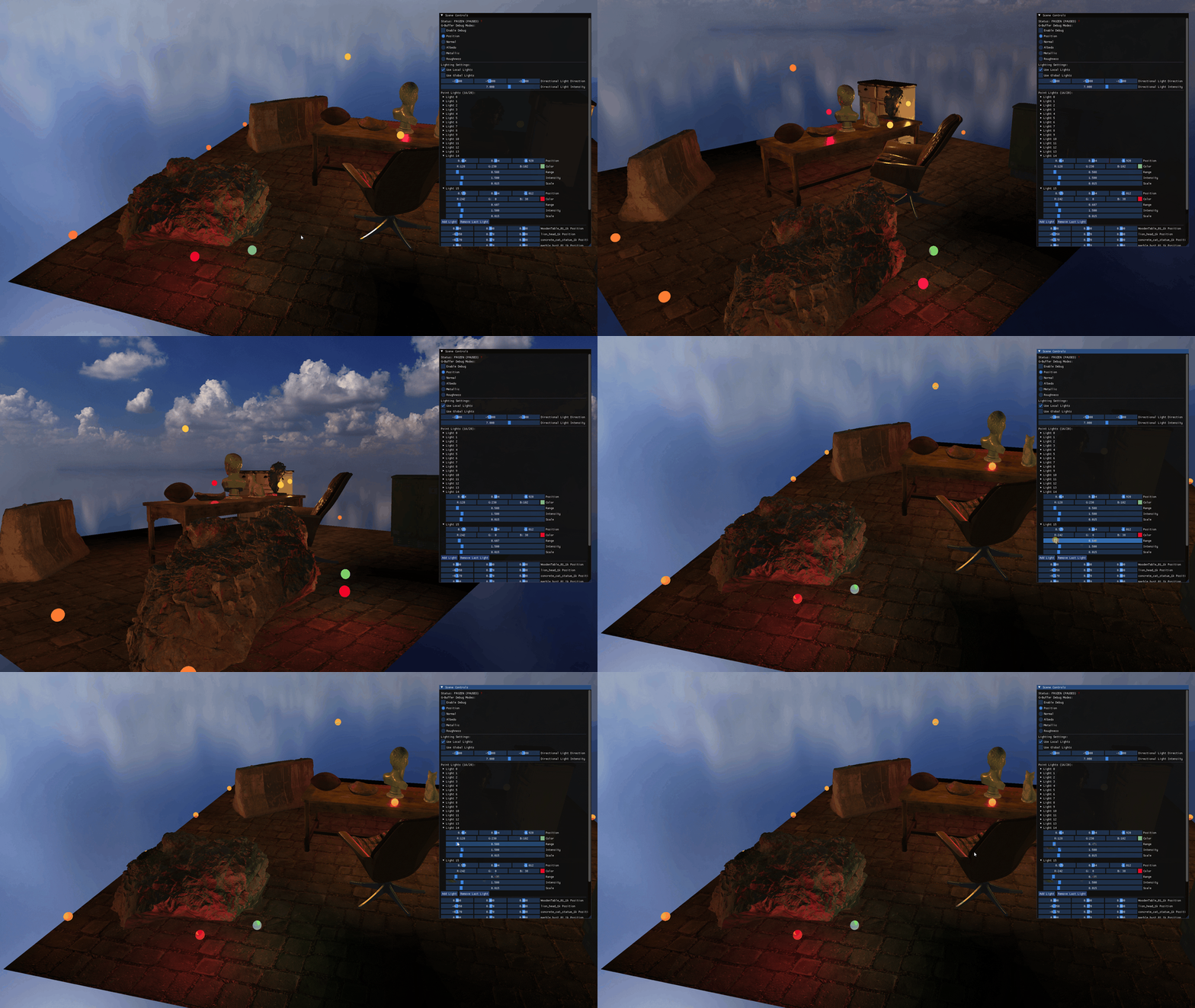
The yellow zones aren’t pigment but two independent radiance contributions summing in light-space, exactly as the path tracer’s Monte Carlo estimator did one sample at a time. As the light ranges are pulled in, the additive zones visibly contract: where two falloff radii used to overlap and sum to yellow, only one survives and the surface reads its single color again. The radius parameter is doing real work: not just an optimization but a controllable knob on how each light’s spatial contribution accumulates.
This is the same physics the path tracer was solving: the radiance integral is linear, so contributions sum. The deferred renderer just gets to add them in screen space, once per pixel per light, with no triangle traversal in between.
What’s still missing
The renderer at the end of this chapter draws a scene with global directional light and many point lights, evaluates a physically-based BRDF on every visible pixel, and scales gracefully to whatever light count the scene throws at it. Materials respond correctly: marble picks up colored bounces, bronze shows specular tint, leather shows diffuse-dominant softness.
What’s missing is the most basic property of light’s interaction with geometry: occlusion. Every fragment in the scene is lit by every light, regardless of whether anything is between them. The bronze lion head sitting on the wooden table casts no shadow onto the table. The boulder doesn’t block the floor light from reaching the cabinet behind it. Light passes through every solid object as if it weren’t there.
The next chapter makes the rasterizer answer the same question the path tracer answered with shadow rays: does light reach this point? The answer in real time is to render the scene a second time — from the light’s point of view — and compare depths.